
The best walking pad is the one that fits your stride, your desk, and the way you actually plan to use it. A folding handle, a steep incline, and an impressive weight limit solve different problems. Before comparing extras, decide whether you want slow movement while working at a desk or a separate treadmill session away from the keyboard.
I compare six U.S.-market configurations, from a genuinely folding platform to compact treadmills with handrails. My starting points are the WalkingPad C2 when storage length matters, TRAILVIBER for automatic elevation, and TOPUTURE TP6 for an adjustable handlebar. The UREVO Strol 2E Pro adds a connected two-mode alternative, with a user-limit discrepancy that needs attention before buying.
Editorial Note: My recommendations are based on verified manufacturer specifications and independent reviews, not hands-on testing.
Key Takeaways: Choosing the Best Walking Pad
Measure the walking surface and the complete setup separately. The moving belt determines your usable space; the housing determines whether the treadmill fits between desk legs or under furniture. A listing’s “deck” measurement is not automatically a verified moving-belt measurement.
Separate workday walking from faster exercise. A treadmill’s highest advertised speed is not a recommendation for using a keyboard at that pace. Raised and lowered handrail configurations may also have different limits. Choose the operating mode first, then the machine.
Check what “foldable” and “smart” actually mean. A folding handlebar does not shorten the running platform. Likewise, Bluetooth audio does not prove app control, and an app advertised for selected production batches is not a feature to assume every unit includes.
Top Picks Summary: Walking Pads for Different Setups
Automatic-Incline Starting Point — TRAILVIBER 12% Auto Incline. The first option I would compare for a dedicated under-desk walking arrangement with electronically adjustable elevation.
Adjustable-Handlebar Pick — TOPUTURE TP6. Worth shortlisting when handrail fit and a separate exercise configuration matter more than automatic incline.
Handlebar-Control Alternative — WELLFIT WFTM037. A candidate for buyers who want physical controls as well as remote and app options.
Automatic-Incline Alternative — PACEROCKER. Compare the exact batch and available space against TRAILVIBER rather than treating a higher speed ceiling as a universal upgrade.
Folding-Deck Pick — WalkingPad C2. My first comparison for a walking-only setup that needs a shorter platform when stored, rather than just a lowered handle.
Connected Two-Mode Alternative — UREVO Strol 2E Pro. A choice to compare for app-led sessions and separate walking/running modes. Do not rely on its higher advertised user limit without resolving the discrepancy below.
Walking Pad and Under-Desk Treadmill Comparison Table
These are the selected configurations, not interchangeable brand families. Speeds are advertised ranges, not measured results or permission to use every speed beneath a desk. Maximum user weights are listing limits, not my load-test findings. “Belt” and “deck” retain the source’s distinction.
| Product | Speed / User Limit | Belt or Listed Deck | Incline / Folding | Controls / Verification Note | Included Accessories |
|---|---|---|---|---|---|
| TRAILVIBER Selected listing | 0.7–4.0 mph 450 lb advertised | 41 × 16.5 in listed as deck; usable belt not independently established | 0–12% automatic; 9 levels advertised No hinged folding platform established | Remote; FitYo app and Bluetooth speaker advertised | Remote, power cord, lubricant, tools, manual; confirm remote quantity |
| TOPUTURE TP6 Manufacturer page | 0.6–7.5 mph overall 300 lb advertised | 40 × 16 in running area in selected listing | 1%, 6%, 12% manual settings Folding, height/angle-adjustable handlebar | Remote; FitShow; verify mode-specific speed limits | Remote, safety key, power cord, tools, manual |
| WELLFIT WFTM037 Selected listing | 0.6–6.2 mph overall 350 lb advertised | 36 × 16 in running belt | 10% manual incline advertised Folding handlebar | Handlebar buttons, remote, app; storage dimensions conflict | Remote, safety key, power cord, lubricant, tools, manual |
| PACEROCKER Selected listing | 0.6–5.0 mph 450 lb advertised | 38.6 × 15.7 in listed as deck; not confirmed as usable belt | Up to 12% automatic; 9 levels advertised No hinged folding platform established | Remote, Bluetooth speaker; FitYo applies to selected batches | Remote, power cord, lubricant, tools, manual |
| WalkingPad C2 Manufacturer page | 1–4 mph advertised in U.S. copy 220 lb | 47.2 × 15.7 in walking area | Flat walking platform Deck folds to shorten storage length | Remote, KSFit app, FootSense; walking-focused, not a running model | Remote, power cord, tool kit, manual |
| UREVO Strol 2E Pro Manufacturer page | 0.6–4 mph bar down; up to 6.2 mph raised 265 lb listing / 300 lb brand page: confirm | 36.2 × 15.2 in running area on brand page | 12% manual incline in selected listing Folding handlebar | Remote, physical controls, UREVO app; user limit unresolved | Remote, power cord, safety key, tablet mount, tools, manual per brand |
TRAILVIBER and PACEROCKER use a deck field, not an explicitly matched usable-belt measurement. C2’s U.S. mph wording and metric speed specification are not an exact conversion. UREVO’s current brand page and selected listing disagree on maximum user weight. These qualifications prevent a simple numerical ranking; check the actual unit and its instructions for an exact-fit purchase.
The Best Walking Pads for Different Desk and Home Setups
TRAILVIBER — Under-Desk Walking Pad with Automatic Incline


TRAILVIBER is my starting point when the planned job is walking, not turning a compact pad into a running treadmill. The attraction is changing elevation without selecting manual incline feet between sessions. I would first check that the raised platform still works with the desk and available overhead space.
The manufacturer page identifies nine advertised incline levels up to 12%. Its manufacturer-authored manual, available as an extracted third-party copy, describes a 0.7 mph starting speed and a 4 mph maximum. Those boundaries fit a walking-focused shortlist, without proving how comfortable any particular pace will feel.
I would value the remote control more than the entertainment features. The manual describes smaller speed increments through FitYo than through the remote, a useful distinction for someone sensitive to changes in walking pace. Bluetooth music is optional in my buying decision; access to a predictable stop control is not.
The selected listing gives a roughly 48-by-21-inch footprint and a maintenance-accessory kit. I would mark that housing area on the floor, then add the manual’s operating clearance. Neither a “deck” field nor a low housing tells me that the entire unit will slide beneath a particular sofa.
Against PACEROCKER, my decision would center on the confirmed batch, controls, and fit—not assume nearly matching incline and weight claims prove identical equipment. Against TOPUTURE, the question is whether automatic elevation matters more than an adjustable handrail. Choose for that difference rather than a promise of greater calorie burn.
Reasons to Buy
- Automatic rather than manually selected incline.
- Walking-focused speed range and remote controls.
- Accessible manufacturer-authored operating guidance.
Reasons to Avoid
- Not the choice for a supported running configuration.
- Exact usable belt and furniture clearance need checking.
TOPUTURE TP6 — Foldable Walking Pad with an Adjustable Handrail

The TP6 is the option I would examine when the handlebar itself is a deciding feature. A fixed rail can be an awkward compromise between different users. Here, the buying proposition is adjustment and the ability to move between desk-oriented and separate exercise arrangements, not a guarantee that one position suits everyone.
TOPUTURE describes three manual incline settings, plus a handlebar with height and angle adjustment. The selected TP6 listing specifies a 40-by-16-inch running area and a 300-pound limit. Manual adjustment is a meaningful difference from the automatic systems here; do not buy it expecting app-controlled elevation changes.
I would compare it with WELLFIT by starting with reach and control preference. Does the handlebar adjust into a position you can use naturally? Can you operate the preferred controls without leaning over the belt? Those checks matter more to my purchase than counting the scenarios behind a “6-in-1” marketing label.
FitShow support adds another possible interface. I would still learn the ordinary start, stop, and speed adjustments before trying connected sessions. The overall speed ceiling does not establish the permitted speed with the handlebar lowered. Obtain the supplied instructions for each mode rather than treat the fastest configuration as an under-desk setting.
Folded dimensions are around a 50-by-25-inch footprint in the reviewed descriptions, with thickness wording that should be confirmed for a tight space. Folding the handlebar is not evidence that the running platform halves in length. This is my adjustable-handrail shortlist choice, but not a recommendation based on assumed sofa fit or measured stability.
Reasons to Buy
- Height- and angle-adjustable handlebar.
- Three explicitly manual incline settings.
- Remote, safety key, and tools are listed in the kit.
Reasons to Avoid
- Incline is not automatically adjusted.
- Mode limits and tight-clearance storage need confirmation.
WELLFIT WFTM037 — Folding Treadmill with Handlebar Controls
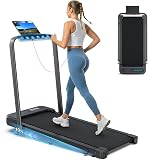
The WFTM037 is the alternative I would compare for physical controls on the handlebar. Someone using the treadmill away from a desk may prefer that arrangement to organizing every session around a phone. For under-desk walking, I would separately check which controls remain accessible in the lowered configuration.
The selected listing identifies WFTM037, a 36-by-16-inch running belt, manual incline, and an overall 6.2 mph speed ceiling. The belt length deserves attention before the speed: a compact running surface may be a poor match for your stride even when the advertised maximum sounds sufficient.
Its interface choices include handlebar buttons, a remote, and advertised app functions. I would prioritize a control method I can use consistently. Voice commands or connected features would be extras to verify with the exact app and phone, not substitutes for learning how to stop the belt reliably.
Storage is a weak point in the documentation. The listing’s main dimensions and folded-size field do not agree, so I would request a measured folded length, width, and height before ordering for a fixed opening. I also have not verified an exactly matched manual that establishes every mode-specific restriction.
I would shortlist WELLFIT for its control layout, not declare it a superior running machine or quieter apartment choice. Against TP6, ask whether adjustable handrail fit or on-rail controls matter more. Against a walking-only pad, ask whether you actually need a separate faster exercise configuration at all.
Reasons to Buy
- Handlebar buttons plus remote and app options.
- Selected listing identifies a specific model and belt size.
- Safety key and basic maintenance items are listed.
Reasons to Avoid
- Published storage dimensions are inconsistent.
- Compact belt and operating-mode limits need a close fit check.
PACEROCKER — Automatic-Incline Under-Desk Treadmill Alternative

PACEROCKER belongs beside TRAILVIBER in this comparison, not automatically above it. Both target buyers interested in elevation without a large upright console. I would make a small shortlist of those two when manual incline adjustment is the feature I specifically want to avoid.
The selected PACEROCKER listing advertises nine incline levels, up to 12%, a 5 mph maximum, and a 450-pound user limit. These are manufacturer/seller claims, not evidence of superior stability, sustained output, or a better walking experience under your desk.
The important app caveat is unusually specific: FitYo support applies to selected batches. I would ask the seller to confirm the shipped unit before paying extra for that capability. A Bluetooth speaker alone does not resolve the question, because audio playback and workout control are separate functions.
Its listed footprint is about 48 by 20 inches. For my setup, I would check the entire housing, the cable route, and the surrounding clearance rather than compare that number only with the desktop width. The deck measurement also needs confirmation as actual usable belt space before making a stride-based decision.
I would choose this candidate only when the exact offer answers those practical questions better than the alternative. A slightly higher speed ceiling adds little to a purchase intended for slow, steady walking. I have not established a continuous-duty schedule or retrieved a complete matched manual, so all-day operation is not a benefit I assign to it.
Reasons to Buy
- Automatic incline offers a distinct alternative to manual feet.
- Remote operation and a listed accessory kit.
- Useful direct comparison with TRAILVIBER’s layout.
Reasons to Avoid
- App compatibility depends on the production batch.
- No verified all-day duty cycle or common-condition noise test.
WalkingPad C2 — Foldable Walking Pad for Small Spaces

The C2 is the first model I would compare when the problem is where to put the treadmill after work. Its platform actually folds, rather than merely lowering a handrail. That makes it a different purchase from a full-length pad whose only storage advantage is reduced height.
The manufacturer’s C2 page specifies a 47.2-by-15.7-inch walking area and a 220-pound user limit. It lists a folded size of 32.5 by 20.4 by 5.4 inches, compared with a 56.9-inch unfolded length. I would compare those dimensions with both the storage opening and the route to it, not assume every low sofa has sufficient space.
The selected black C2 listing identifies WPS1F and includes a remote control, power cord, tool kit, and manual. The brand also describes KSFit and position-responsive FootSense control. My preference for a first session would be to learn the ordinary controls before experimenting with an automatic mode that responds to where I walk.
I would choose the C2 for walking, not as a running treadmill. The manufacturer’s FAQ explicitly describes it as walking-focused. Its U.S. copy advertises 1–4 mph, but the metric maximum elsewhere on the same page is not an exact conversion; check the supplied unit when a precise boundary matters. A shopper wanting a very slow starting pace should also compare the stated minimum with the 0.6 or 0.7 mph alternatives.
Against TOPUTURE, the decision is a shorter stored platform versus an adjustable handrail. Against TRAILVIBER, it is folding storage versus powered elevation. There is no reason to pay for an incline you do not intend to use, just as there is no reason to choose the C2 for a storage space that already accommodates a full-length treadmill. The folding feature earns its place when it solves your actual layout.
Reasons to Buy
- Hinged platform shortens the stored treadmill.
- Published walking-area and folded measurements.
- Remote control with optional app and FootSense interfaces.
Reasons to Avoid
- 220-pound user limit and no raised handrail.
- Walking-focused; not a substitute for a running treadmill or incline model.
UREVO Strol 2E Pro — Connected 2-in-1 Treadmill

The Strol 2E Pro is the UREVO configuration I would compare for someone who wants both a desk-walking arrangement and a separate handlebar-up session. Its reason to be here is that change of use and the connected interface, not a promise that software makes it safer, more accurate, or more effective than a simpler treadmill.
UREVO’s Pro page separates 0.6–4 mph walking with the handlebar down from a raised configuration reaching 6.2 mph. It publishes a 36.2-by-15.2-inch running area. I would match that compact belt to my stride before treating the extra speed as an upgrade. The selected Strol 2E Pro listing identifies URTM059 and explicitly describes its 12% setting as manual incline.
That distinction matters: automatic speed changes through an app are not motorized elevation. I would compare the UREVO app with the ordinary remote and physical controls, then decide whether connected routines add something useful. The listed kit includes a safety key and tablet mount; neither turns a handheld screen into a properly positioned work surface.
There is one important purchase restriction. The selected Amazon specification gives a 265-pound limit, whereas UREVO’s current page advertises 300 pounds. I would not treat the higher figure as clearance for the shipped unit. Anyone relying on a limit above 265 pounds should obtain written confirmation and matching instructions before buying. That unresolved difference is why this is not my high-capacity pick.
Against WELLFIT, compare the documented mode split, interface, and actual belt fit rather than the number of app features. Against C2, choose between a folding handrail and a folding platform. This Pro is distinct from the original flat Strol 2E and from the ambiguous 11% offer in the initial candidate search. Match the product name and model at checkout; do not let a similar title substitute a different treadmill.
Reasons to Buy
- Manufacturer distinguishes bar-down and bar-up speed modes.
- Remote and physical controls alongside the UREVO app.
- Safety key, tablet mount, and tools listed by the manufacturer.
Reasons to Avoid
- 265-versus-300-pound user-limit discrepancy remains unresolved.
- Manual, not powered, elevation; compact running area needs a stride check.
How to Choose the Best Walking Pad for Your Desk
Walking Surface and Stride: Measure the Belt, Not the Housing
I would start with two separate measurements: the usable moving belt and the outside footprint. The first is about where your feet can land; the second is about furniture and floor space. Side rails, motor covers, and a carrying handle can all add size without adding walking room.
For an exact-fit purchase, ask the seller to identify the measurement endpoints. Then mark the housing footprint on your floor, leaving the manual’s operating clearance rather than packing furniture tightly around it. A 40-inch belt does not mean the complete treadmill is 40 inches long.
Your own stride is the more useful reference than a generic “suitable for everyone” label. I would not promise a universal belt length for a person’s height. The practical question is whether you can maintain a natural walking pace without continually watching the edges or changing your movement to fit.
Weight Capacities: A Compatibility Limit, Not a Quality Ranking
Compare stated weight capacities for the exact versions, and do not exceed the confirmed limit. A higher number is not a reason to assume better balance, stronger handrails, or longer motor life. Those are different questions, and the selected sources do not provide one comparable load-and-durability test.
If a purchase depends on a capacity near the advertised maximum, I would ask the manufacturer to confirm the application and operating restrictions in writing. A user-weight figure cannot tell you whether a particular belt suits your stride or whether the device can run for the duration you have planned.
Walking Speed, Walking Mode, and Running Mode
Choose the activity before the top speed. Slow desk walking, a brisk walk away from the computer, and running are not the same operating task. Higher speeds on a listing should not push you toward faster movement while reading small text or reaching for a mouse.
A 2-in-1 treadmill may separate a lowered-handrail walking mode from a raised-handrail running mode. UREVO explains that distinction for the Strol 2E Pro. A permitted faster configuration is not a reason to use higher speeds while reaching across a desk.
I would favor a stable, controllable walking pace over unused speed headroom for office work. For sustained running, investigate a purpose-designed running treadmill, its usable belt, and its operating limits instead of assuming mini treadmills are equivalent substitutes.
Foldable Walking Pads: What Actually Folds?
A foldable walking pad may lower only its handrail, while the C2 folds the platform itself. Those are different storage solutions. Ask which parts fold and whether any must be removed; count length, width, and height rather than rely on the word “compact.” A low treadmill can still be too long for its planned space.
I would also trace the route to storage. Wheels help on a suitable floor but do not eliminate thresholds, rugs, narrow turns, or lifting. Do not assume vertical storage is permitted because a product photograph shows a slim profile. The exact manual should specify the approved position.
This matters particularly in small spaces where the same floor area serves work and everyday living. A treadmill you can realistically put away is a better fit than one whose advertised compactness depends on rearranging the room after every session.
Manual and Automatic Incline Levels
Separate adjustment method from maximum incline. TOPUTURE’s TP6 uses manual settings; TRAILVIBER’s selected design changes elevation electronically. I would choose manual adjustment for a deliberately fixed session, or automatic adjustment when changing elevation is an actual requirement.
An automatic mode may refer to a workout program rather than automatic incline. Likewise, percentages and degrees are different units. Keep the source’s stated unit instead of treating the same numeral as interchangeable. Neither a steep setting nor a preset establishes a medical benefit or a particular calorie result.
Under a desk, elevation also changes the physical setup. Check your working height, reach, and available space at the intended position. More incline is not automatically better for a task whose main requirement is comfortable, controlled movement while working.
Remote Control, Bluetooth, and App Dependencies
My essential control check is simple: can I start, slow, and stop the treadmill predictably? Learn the ordinary controls before connected routines. Keep a remote control accessible, confirm replacement availability, and verify which functions still work when a phone is unavailable.
Bluetooth can mean speaker playback, app communication, or both. It does not by itself establish session tracking, automatic speed changes, or compatibility with your preferred service. PACEROCKER’s selected-batch app wording is a good reason to check the actual hardware before comparing software extras.
I would treat an app’s step count or calorie display as a tracking feature, not a reason to promise precise personal outcomes. Also inspect account requirements, permissions, and optional charges. A useful walking routine should not depend on a feature you have not confirmed you can access.
Quiet Motor Claims and a Shared Home Office
A “quiet motor” description is not a recording of how the complete setup will sound in your room. Motor noise, belt movement, footsteps, and transmission through the floor are different concerns. Without matched measurements, I would not award any of these walking pads a quietest title.
For calls or shared office space, plan around the actual task and flooring. I would use the return period, where its terms allow, to evaluate normal operation rather than trust an unexplained decibel claim. A speaker is not a solution to footfall noise, and covering ventilation to muffle sound is not an acceptable workaround.
Price, Support, and Where You Will Keep a Walking Pad
I would compare the complete ownership plan, not just today’s price. Check delivery and return terms for the actual seller, access to replacement controls, and the prescribed maintenance. A cheaper walking pad is not a saving if an unclear size makes it unusable in the intended room.
For a daily setup, write down where the treadmill will operate, where the chair goes, and how the equipment will be stored between sessions. Working from home does not necessarily provide a permanent exercise area. A realistic layout matters more than collecting every available extra.
If you’re considering other home cardio equipment, my best elliptical machine comparison covers a different exercise format, including equipment size, resistance options, and practical considerations for home use.
Using an Under-Desk Treadmill: Setup and Safety Features
Plan clearance before assembly. TRAILVIBER’s manual text specifies about 2 meters behind and 60 centimeters on each side, with installation inaccessible to children and pets. Those are its instructions, not dimensions to automatically apply to every treadmill. Follow your exact unit’s clearance and electrical requirements.
Check the floor, cord, and desk together. The same TRAILVIBER instructions call for a hard, stable surface, discourage high-pile carpet, and require a cord route that stays clear of the underside and moving incline mechanism. TOPUTURE’s setup guidance also emphasizes desk fit and unobstructed ventilation. A desk frame is not a substitute for the product’s required support or clearance.
Learn the stop procedure before multitasking. Set up the safety key where one is supplied, following the matched manual. Know which controls operate in the chosen configuration. A safety feature is useful only when installed and used correctly; a handlebar or app should not be treated as a guarantee against a fall.
Practice before adding work. I would first learn the controls and become comfortable walking on an under-desk treadmill without handling a laptop or looking away. Add desk tasks only when you can do so with controlled movement and appropriate reach. Stop the belt before repositioning equipment; do not make walking and typing a requirement you must force.
Follow the maintenance instructions, not a generic oil schedule. Identify the specified lubricant, belt checks, and service intervals for the exact treadmill. The TRAILVIBER instructions require disconnection for maintenance and attention to unobstructed cooling. Do not transfer another model’s belt-adjustment procedure or lubricant quantity.
Do not infer an all-day duty cycle. Working at your desk for eight hours does not establish that a compact motor is intended to run continuously for eight hours. Obtain operating and rest limits before planning extended sessions. Stop using damaged or malfunctioning equipment, and follow manufacturer-approved service rather than masking a fault with more belt tension or extra oil.
My pre-purchase checklist: Confirm the model label, usable belt size, user limit, operating-mode restrictions, actual folded measurements, required clearance, and accessible stop control. Then decide which extras deserve a place in the budget.
Walking Pad FAQs
Which is the best under-desk treadmill for a typical workday?
I would begin with a clearly identified walking-focused model that fits the desk and your stride, then assess the controls and maintenance. TRAILVIBER is my automatic-incline starting point here, but incline is optional, not essential to desk use. No single listing can establish the right fit for every room or user.
Can I use a walking pad with a normal desk?
Only if the complete setup provides appropriate working height, space, and access. I would not assume a fixed seated desk becomes suitable simply because a treadmill fits between its legs. A standing desk must still accommodate the extra platform height, your posture, and the required safety clearance.
Does a foldable walking pad fit under any sofa?
No. Check the actual folded dimensions against the opening, including supports and obstructions behind it. Folding a handrail can reduce height without reducing platform length. Do not rely on one rounded measurement when the product descriptions conflict.
Can these walking pads replace a full-size running treadmill?
Not automatically. A higher listed maximum does not establish equivalent running space, support, or continuous-duty capability. Confirm the permitted running configuration and your intended activity. The walking pads on this list address different compromises rather than six identical replacements for larger equipment.
Are the displayed calories and step count exact?
I have not verified their accuracy through a common test. Treat them as device-generated tracking figures, not precise measurements of your energy expenditure or grounds for comparing promised health outcomes. Check what each device actually records before choosing an app for your routine.
Does the UREVO Strol 2E Pro have automatic incline?
No: the selected Pro listing describes a 12% manual setting. App-controlled speed does not change that mechanism. TRAILVIBER and PACEROCKER are the electronically adjusted alternatives in this comparison. UREVO model names and revisions need matching; “smart” alone does not specify how the platform is raised.
Is an app necessary for using a walking pad?
My preference is a setup whose basic controls meet my needs without depending on optional software. Confirm the exact unit’s functions with and without the app. Connected workouts may be useful, but batch restrictions, device compatibility, and account requirements deserve checking before purchase.
Final Verdict: Match the Walking Pad to the Workday
My first shortlist choice for shorter storage is WalkingPad C2; for powered elevation, it is TRAILVIBER. These solve different problems. C2 makes sense when the floor must be cleared, while TRAILVIBER belongs in a layout where a full-length pad and its operating clearance fit comfortably.
TOPUTURE TP6 is the adjustable-handrail option, and WELLFIT WFTM037 offers another control layout. Compare PACEROCKER with TRAILVIBER only after checking batch-dependent app features. Consider UREVO Strol 2E Pro for connected two-mode use, but resolve its user-limit discrepancy rather than assuming the higher number applies.
The best walking pads are the ones you can fit, control, maintain, and use appropriately. A folding platform, a built-in handrail, or extra speed should solve an identified need. I would settle those questions before paying for an app, a bigger motor headline, or another workout preset.
Sources and Product Documents
Research edition: October 2026. An Amazon candidate export started selection; two offers were replaced during identity and documentation checks. Specifications and instructions came from the linked sources, not the keyword-analysis tool. Seller descriptions can change. Buying recommendations and layout examples are my synthesis, not measured test results.
- TRAILVIBER — B0D6BFMNN5: selected U.S. listing; manufacturer product page; manufacturer-authored manual text mirrored by Manuals+. Operating and safety passages were readable; the original PDF download was not retrieved. Package counts and table labels were not used to invent an exact usable-belt measurement.
- TOPUTURE TP6 — B0H2HT4YDP: selected listing, including TP6 identification in seller material; official TP6 page. The manual download was inaccessible. Manual incline, handlebar adjustment, and running-area claims are distinguished from unverified mode-specific restrictions.
- WELLFIT WFTM037 — B0G3W39ZMG: exact listing and specification fields. The model and running-belt measurement are given there; conflicting overall and folded dimensions remain unresolved. A separate, exactly matched manufacturer manual was not obtained.
- PACEROCKER — B0D9JXDQ2T: exact listing. FitYo is expressly batch-dependent. The linked manual could not be retrieved; no all-day operating allowance or measured performance is claimed.
- WalkingPad C2 — B0F48MZV54: black C2/WPS1F listing and official C2 product page and FAQ. The folding deck, walking area, and folded dimensions are manufacturer claims. Conflicting mph/km/h wording was not turned into a precise conversion; no motor-power ranking or running recommendation is based on inconsistent marketing.
- UREVO Strol 2E Pro — B0H1H4JT4C: specifically identified Pro/URTM059 offer and official Pro specifications, mode explanation, and package list. The selected listing says 265 lb; the current brand page says 300 lb. That conflict is unresolved. Overall speed follows the brand page; a different running-mode minimum appears in listing copy. The linked Pro manual was inaccessible, so original Strol 2E instructions were not substituted. Confirm the current seller, model, and bundle; no featured-offer availability is assumed.
- General setup context: TOPUTURE’s under-desk treadmill buying guide and the specifically identified TRAILVIBER operating instructions. Clearance, ventilation, and maintenance guidance is distinguished from marketing. The instructions for the actual shipped treadmill govern its installation and use.